

Export Schema Tree as PlantUML
1. Opening Export Dialog
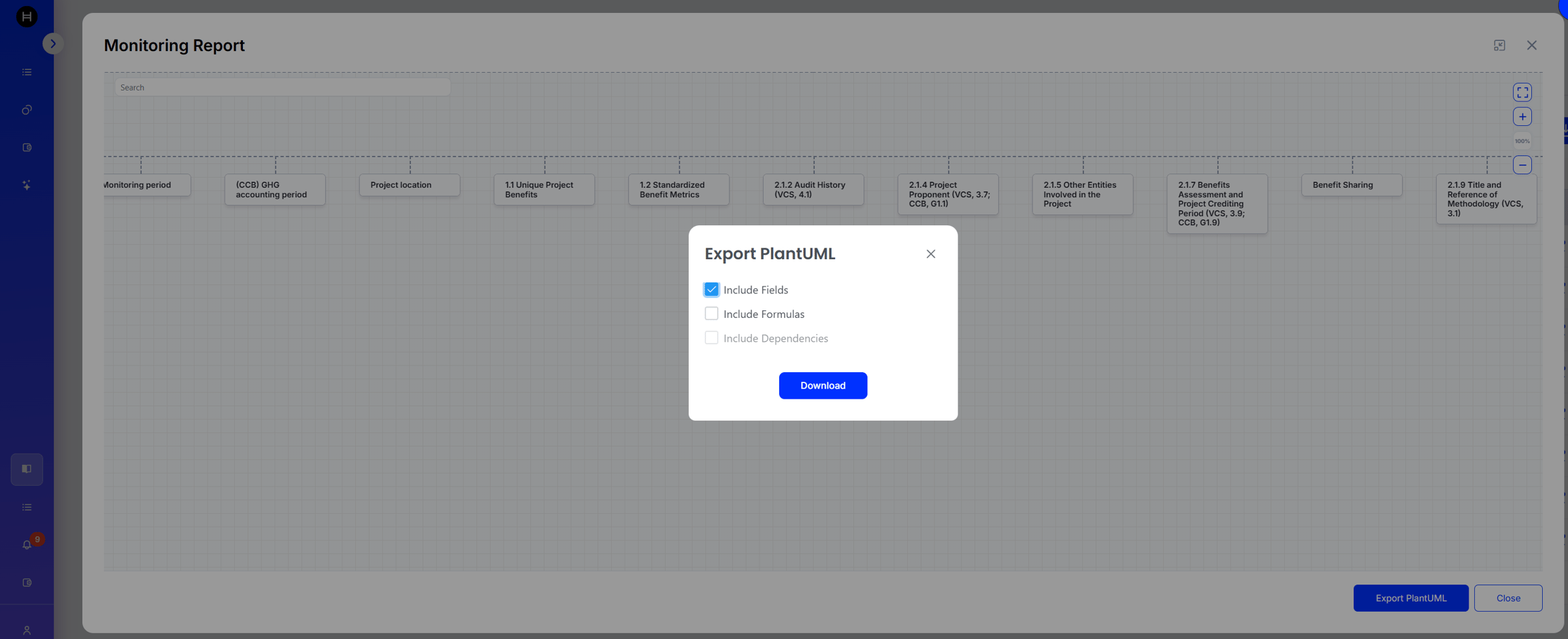
The Schema Tree can be exported as a PlantUML class diagram. To export, open the Schema Tree view by clicking the Tree button for the desired schema, then click the Export PlantUML button:

2. Export Options
The Export PlantUML dialog provides three checkboxes to control the level of detail:
Include Fields — Adds field names and descriptions to each schema class. Enabled by default.
Include Formulas — Adds formula packages with stereotyped elements (constants, variables, formulas, text) and cross-formula links.
Include Dependencies — Expands the diagram to include formulas and schemas referenced by directly linked formulas. Requires Include Formulas to be enabled.
3. Exported File
Clicking Download generates and downloads a .puml file that can be rendered in any PlantUML-compatible tool (e.g., PlantUML online editor, IntelliJ IDEA, VS Code extensions).
The diagram includes:
Schema classes with parent-child composition arrows
Fields with names and descriptions (when enabled)
Formula packages grouping constants, variables, formulas, and text elements (when enabled)
Cross-formula links shown as dependency arrows (when enabled)
Color coding per element type for easy visual identification
Was this helpful?