# Demo using UI
1. Step By Step
2. Demo
## 1. Step By Step
### 1.1 Create Savepoint:
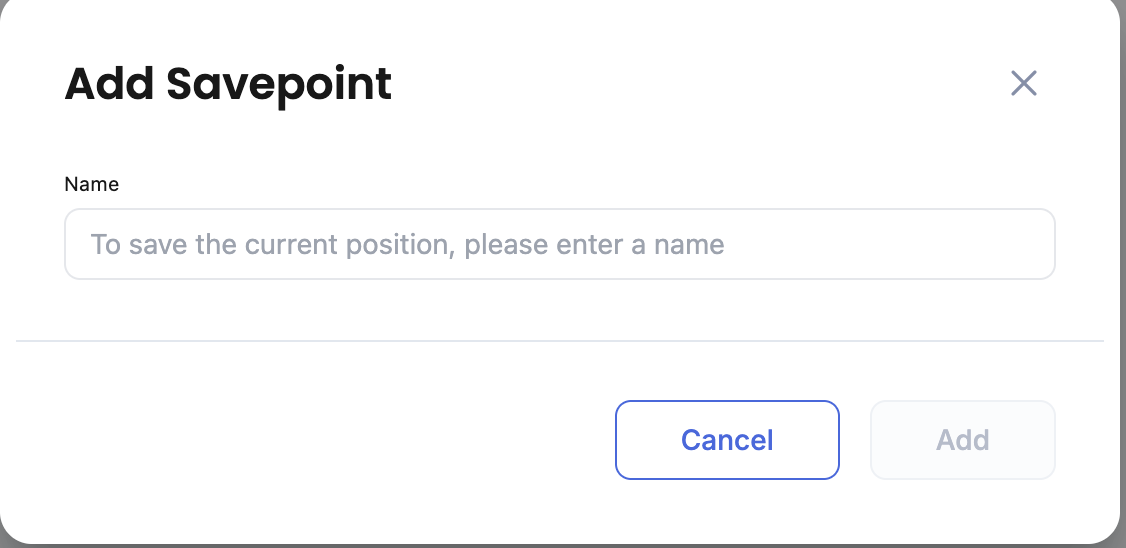
* Click the **Savepoint** button.
* Enter a name in the dialog box.
* Click **Add** → the system will store a new savepoint for the current step of the Dry Run.
### 1.2 Restore Savepoint:
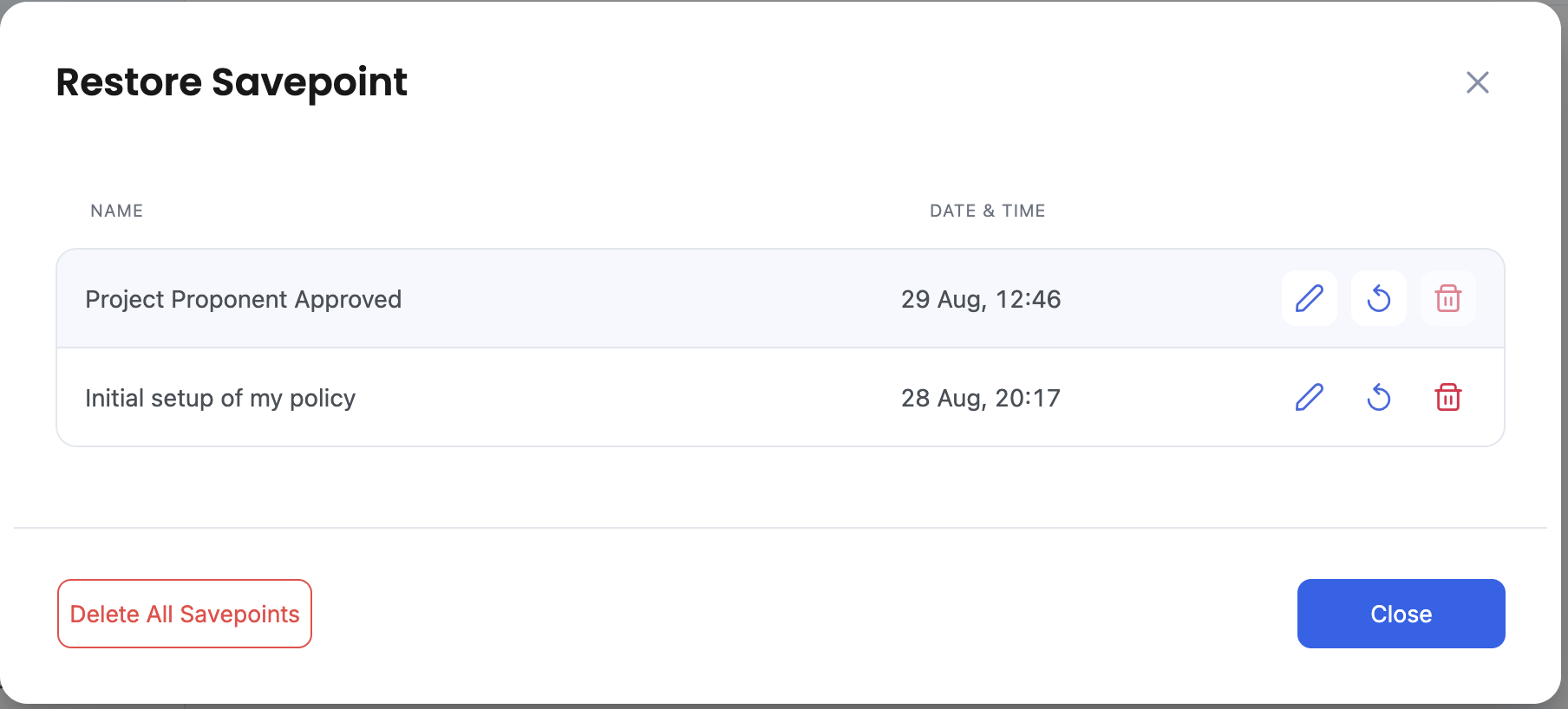
* Click the **Restore** button → a dialog opens showing all existing savepoints.
* From the dialog, you can:
* **Apply** a savepoint → the Dry Run resumes from that state.
* **Rename** a savepoint.
* **Delete** a savepoint.
* **Delete All Savepoints** → removes all savepoints for the policy.
### 1.3 Continue After Editing Policy
You can stop the Dry Run, modify the policy in the editor, and then restart the Dry Run.
{% hint style="danger" %}
**Note:** If you make changes to blocks that are already linked to existing savepoints, restoring those savepoints may cause unexpected behavior.
{% endhint %}
## 2. Demo Video
[Youtube](https://youtu.be/cO6Ls-j1ROE?si=ecjATzGYQECjiqTr\&t=120)